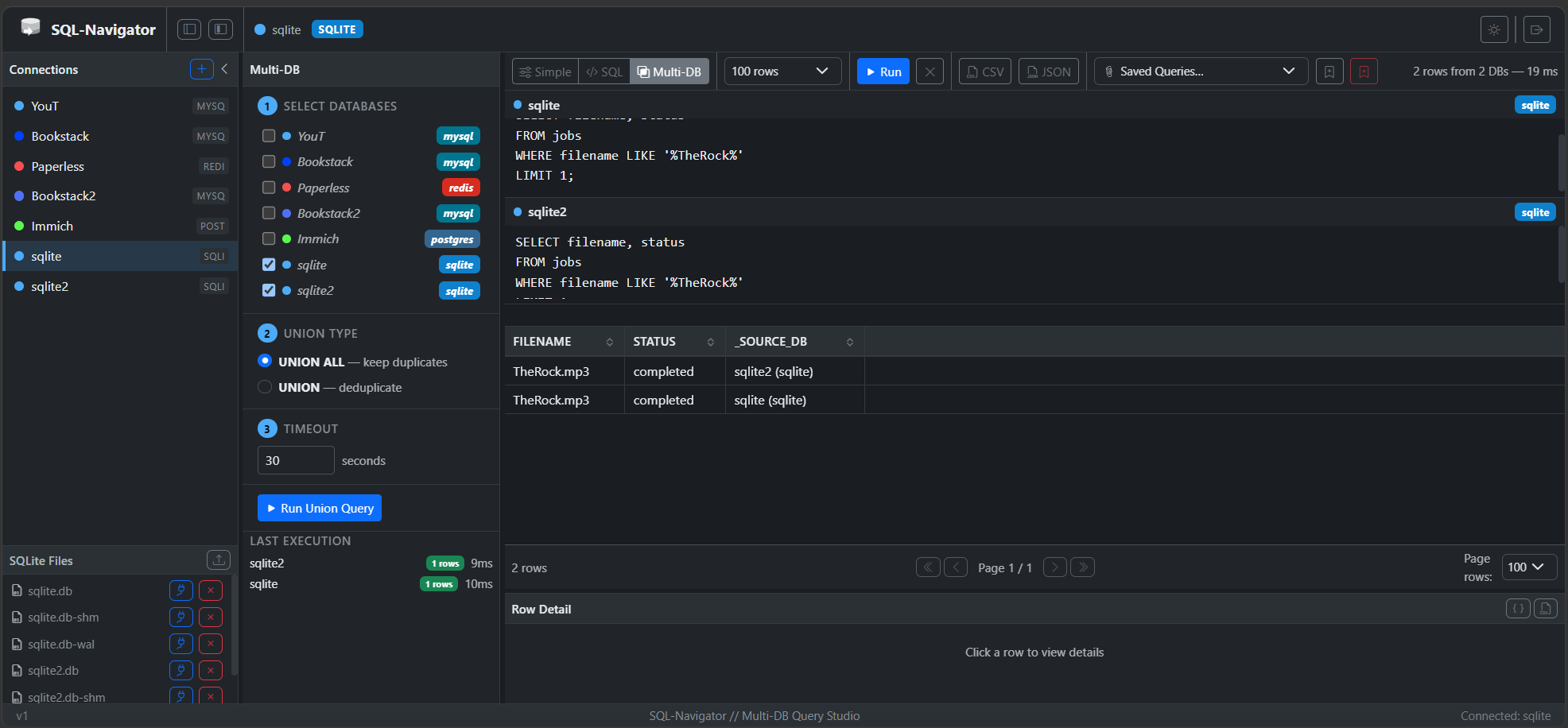
SQL Navigator is a web-based SQL learning tool designed for cybersecurity training and education. It provides an interactive environment for practicing SQL queries and understanding database security concepts.
Portainer Stack
Ref: https://github.com/jonesckevin/sql-navigator
Docker Run
bash 2 lines
docker pull jonesckevin/sql-navigator:latest
docker run -d -p 9000:8080 --name sql-navigator -v "./data/exports:/app/exports" jonesckevin/sql-navigator:latest
Docker Compose
yaml 33 lines
# SQL Navigator
# https://github.com/jonesckevin/sql-navigator

services:
  sql-navigator:
    image: jonesckevin/sql-navigator:latest
    container_name: SQL-Navigator
    ports:
      - "9002:8080"
    volumes:
      - ${DATA_DIR:-./data}/exports:/app/exports
      - ${DATA_DIR:-./data}/uploads:/app/uploads
    environment:
      # ── Authentication ──
      # Override any of these by setting them in the shell or a .env file.
      APP_USERNAME: ${APP_USERNAME:-admin}
      APP_PASSWORD: ${APP_PASSWORD:-changeme}
      # Set SECRET_KEY to a random 32+ character string before production use.
      SECRET_KEY: ${SECRET_KEY:-defaultsecretkey1234567890abcdef}
      # ── Session ──
      SESSION_TIMEOUT_DAYS: ${SESSION_TIMEOUT_DAYS:-7}
      # ── HTTPS ──
      # Set REQUIRE_HTTPS=true when running behind a TLS-terminating proxy.
      REQUIRE_HTTPS: ${REQUIRE_HTTPS:-false}
    # ── Runtime security hardening ──
    security_opt:
      - no-new-privileges:true
    cap_drop:
      - ALL
    read_only: true
    tmpfs:
      - /tmp:mode=1777
    restart: unless-stopped