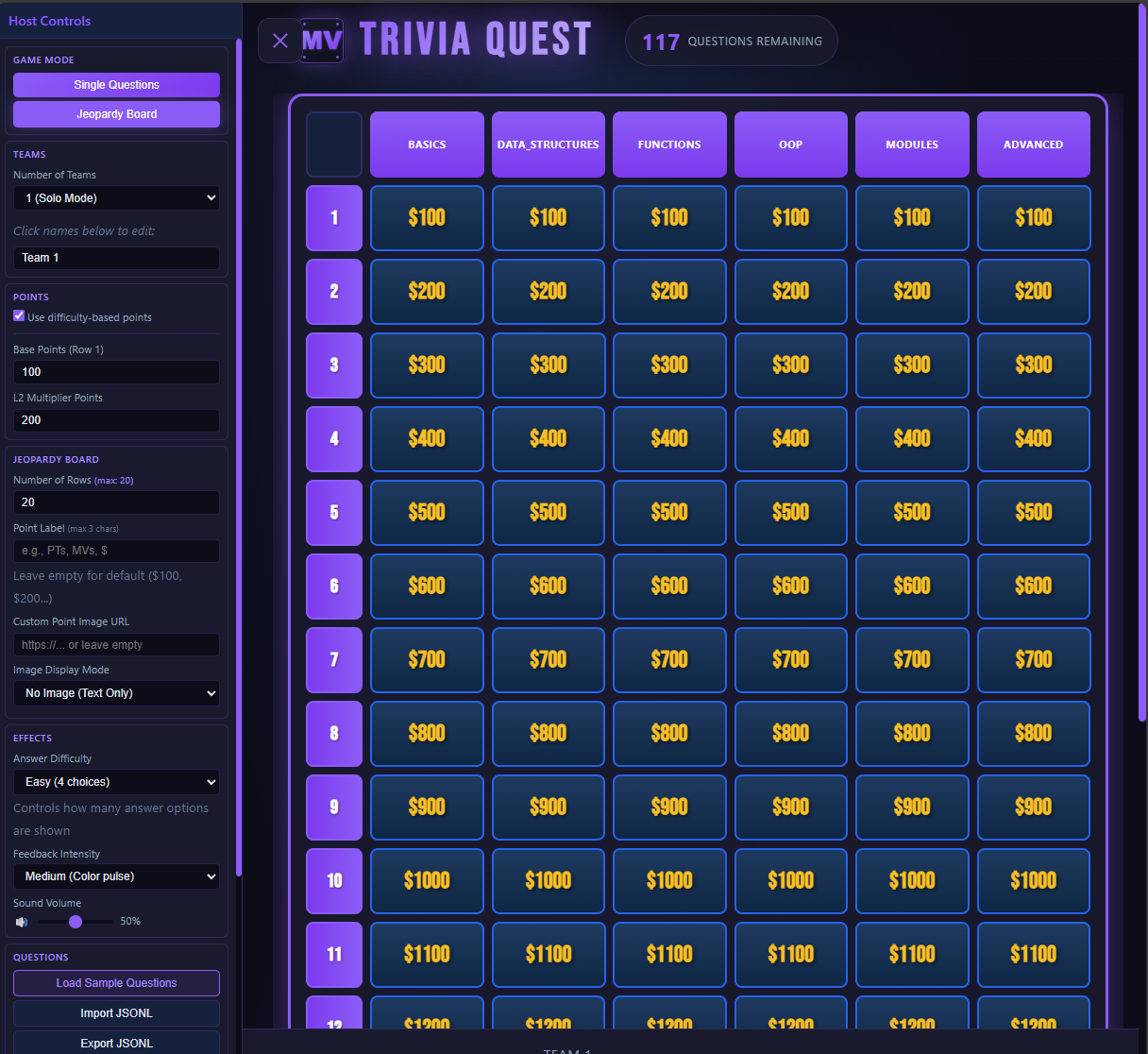
Trivia Quest is a quiz / jeopardy stytle game that can be used for training, educationm, and fun. You can use pre-made trivia questions or create your own. Designed for offline/internal use and quickly deployable using Docker.
Portainer Stack
Ref: https://github.com/Jonesckevin/trivia-quest
Bash Docker Run
bash 11 lines
docker pull jonesckevin/trivia-quest:latest

docker run --rm -p 3023:80 `
  -e "APP_TITLE=Trivia Quest" `
  -e "JWT_SECRET=change-me-this-should-be-32-chars-minimum-for-security!" `
  -e "SECRET_KEY=change-me-this-should-be-32-chars-minimum-for-security!" `
  -e "ADMIN_PASSWORD=admin123" `
  -e "ACCOUNTS_ENABLED=false" `
  -e "REQUIRE_USER_PASSWORD=false" `
  -e "MAX_UPLOAD_MB=25" `
  jonesckevin/trivia-quest:latest
Docker Compose
yaml 43 lines
services:
  trivia-quest:
    image: jonesckevin/trivia-quest:latest
    container_name: trivia-quest
    ports:
      - "3002:80"
    environment:
      - APP_TITLE=${APP_TITLE:-Trivia Quest}
      # JWT — persistent secret so tokens survive container restarts.
      # Change this value if you want to invalidate all existing sessions.
      # Generate a new one with: $(openssl rand -hex 32)
      - JWT_SECRET=${JWT_SECRET:-change-me-i-am-not-secret}
      - SECRET_KEY=${SECRET_KEY:-change-me-i-am-not-secret}
      - JWT_TTL_SECONDS=${JWT_TTL_SECONDS:-86400}
      # CORS — set to your frontend origin in production (e.g. https://yourdomain.com)
      - CORS_ALLOWED_ORIGINS=${CORS_ALLOWED_ORIGINS:-*}
      # Rate limiting
      - LOGIN_RATE_MAX=${LOGIN_RATE_MAX:-5}
      - LOGIN_RATE_WINDOW=${LOGIN_RATE_WINDOW:-900}
      - REG_RATE_MAX=${REG_RATE_MAX:-3}
      - REG_RATE_WINDOW=${REG_RATE_WINDOW:-3600}
      # Proxy
      - TRUST_PROXY=${TRUST_PROXY:-false}                     # Set true when behind a reverse proxy that sets X-Forwarded-For
      - MAX_UPLOAD_MB=${MAX_UPLOAD_MB:-25}                    # File upload
      # Quiz settings
      - ADMIN_PASSWORD=${ADMIN_PASSWORD:-admin123}
      - ACCOUNTS_ENABLED=${ACCOUNTS_ENABLED:-false}           # false = freeplay-only mode (no user accounts)
      - REQUIRE_USER_PASSWORD=${REQUIRE_USER_PASSWORD:-true}  # true = users must set a password when registering (recommended)
    restart: unless-stopped
    security_opt:
      - no-new-privileges:true
    healthcheck:
      test: ["CMD", "wget", "-q", "--spider", "http://localhost/", "&&", "wget", "-q", "--spider", "http://localhost/api/health"]
      interval: 30s
      timeout: 10s
      retries: 3
      start_period: 10s
    volumes:
      - ./data:/data  # Contains the SQLite database and uploaded files (avatars, logos, etc.)

    ## Optional Mount custom question bank for updates without rebuild
    # volumes:
    #   - ./question_bank:/question_bank:ro
For a simplistic view
bash 12 lines
git clone https://github.com/jonesckevin/trivia-quest.git
cd trivia-quest
docker build -t trivia-quest:latest .

# Then run with your local image
docker run -d \
  --name trivia-quest \
  -p 3023:80 \
  -v $(pwd)/data:/data \
  -e REQUIRE_AUTH=false \
  -e OFFLINE_MODE=auto \
  trivia-quest:latest